Monday, January 31, 2011

Rant of the day:There is something more Forked up than #XML, and #JAVA: Tal and Metal

If something can be coded wrong it will be done and coded wrong.
Or if the customers can choose the worse solution from the marked that is what you will fight next
eg:from the all cms solution you will get the worse written one and in the worse language (C#/vb anyone?) and with the worse security track and with the proprietary bells and wissels.
I think you can get the idea , now i want to talk about the template languages
from all the template languages the worse i have seen in years is the one based on xml:tal,metal and frends
Why on earth is there a need to humiliate the python language with such a horrific abomination ?
when you have such nice template languages for python such as Jinja , and Django template engine
ps:I'm not the only one that observed the complexity of the plone's templates system

One way to sweet the ugliness of plone is using jinja instead of tal

>>> from jinja2 import Template
>>> t = Template('{{ name }} rocks!')
>>> t.render(name='Guido')
u'Guido rocks!'

Thursday, January 27, 2011

N13 PCIe Wlan driver on ubuntu 10.10 (x64)

Download the linux driver from ralink corp RT2860PCI/mPCI/CB/PCIe(RT2760/RT2790/RT2860/RT2890)
make ; sudo make install
driver is rt2860sta
install wicd and wicd-client
sudo apt-get install wicd wicd-client
disable network-manager at boot

if you are on 64bit version of maverick you will get a nice error message with


kernel: [] phy0 -> rt2800pci_load_firmware: Error - PBF system
register not ready.

That is a confirmed bug #659143
Solution was for me to install the wireles-next and to reboot
download
wget http://wireless.kernel.org/download/compat-wireless-2.6/compat-wireless-2010-12-14.tar.bz2
tar -jxvf compat-wireless-2010-12-14.tar.bz2
cd  compat-wireless-2010-12-14
./scripts/driver-select rt2x00
make 
sudo make install 
sudo reboot 
ps: at the end of the bug if you don't want to mess your wireless there is a testing kernel that solves the issue , you can try it if you don't want to compile it

Tuesday, January 25, 2011

Bug #1 Trowing user in console is wrong in #ubuntu , #debian #Linux

Sometimes you have seen it on linux , blank screen after not installing nvidia's drivers or ati's or if the card is not known , or if the card is too old and is not supported or if the driver does have bugs
Why the hack don't throw the user in standard mode
try
{boot user in proprietary mode 1600x1200 compiz enabled}
catch
{boot user in 800x600 classic and trusted vga mode , no kms shit and in amazing 2d mode}

Then the user can update or search on forums or use it in normal mode

ps: yes i look now at the blinking cursor
and it ubuntu 10.10 live cd boots with ati 6950 if you disable in grub splash screen
and quiet mode is disabled , i have added the debug in grub boot option also vga=788 would help
pps:best way to install is still alternate text mode ... lets see if grub is not fraked up
All installed fine from console seems that somewhere there is a lockup , anyway
i downloaded catalyst 10.12 for amd64 ran the installer from shell
sudo sh ati-driver-*

or better idea is to build the packages

sh ati-driver-installer-10-12-x86.x86_64.run --buildpkg Ubuntu/maverick

created the xorg conf (seems that it does't quite detects the 69xx with aticonfig)
with vi /etc/X11/xorg.conf
Section "Device"
Identifier "ATI radeon 6870"
Driver "fglrx"
EndSection 
Then i had to remove the unsupported logo on the right

cat disable_unsuported_logo.sh
#!/bin/sh

DRIVER=/usr/lib64/xorg/modules/drivers/fglrx_drv.so

for x in $(objdump -d $DRIVER|awk '/call/&&/EnableLogo/{print "\\x"$2"\\x"$3"\\x"$4"\\x"$5"\\x"$6}'); do
sed -i "s/$x/\x90\x90\x90\x90\x90/g" $DRIVER
done


inspired by this thread of installing 69xx on ubuntu 10.10

pppps:
Seems that the boot problem was related by one faulty sata type cdrom
(I hate thouse things) somewhere all is locked and waiting for the fake ide
drive so is not related to the video , but the rant applies
I want debug mode in opengl window for faulty hardware :)

Saturday, January 22, 2011

Fixing the Unknown media type in type 'interface/x-winamp-skin' while updating in ubuntu/debian

I think i have seen this error message while updating ubuntu/debian for years and wondered what it is and why is not solved :it's known bug but no one does nothing to fix it in debian/ubuntu/freedesktop/kde land
seems the worse idea to keep the mime types in xml format and is quite verbose for some errors

you can see the file and the package that contains it
 dpkg -S  /usr/share/mime/packages/kde.xml
kdelibs5-data: /usr/share/mime/packages/kde.xml

what i did is to delete the lines with the errors
vi /usr/share/mime/packages/kde.xml
and deleted the lines corresponding to the error

Unknown media type in type 'all/all'
Unknown media type in type 'all/allfiles'
Unknown media type in type 'uri/mms'
Unknown media type in type 'uri/mmst'
Unknown media type in type 'uri/mmsu'
Unknown media type in type 'uri/pnm'
Unknown media type in type 'uri/rtspt'
Unknown media type in type 'uri/rtspu'
Unknown media type in type 'fonts/package'
Unknown media type in type 'interface/x-winamp-skin'

and here is the diff on my debian
after that the update-mime-database worked without errors

update-mime-database -V /usr/share/mime

Updating MIME database in /usr/share/mime...

Wrote 959 strings at 2c - 5418

Wrote aliases at 5418 - 594c

Wrote parents at 594c - 6d34

Wrote literal globs at 6d34 - 6dec

Wrote suffix globs at 6dec - ffc8

Wrote full globs at ffc8 - 10008

Wrote magic at 10008 - 19cf0

Wrote namespace list at 19cf0 - 19d30

Wrote icons list at 19d30 - 19d44

Wrote generic icons list at 19d44 - 1a818

Wrote types list at 1a818 - 1b414

Monday, January 17, 2011

Lazy to do the django erd/uml for your models ? there is a tool for you

There is the graph models extension so you don't need to work out too much ;)
and is quite easy to install from git

The best language for 2011 is ... drums python

Seems that it won the tiobe language index for 2010 with growing pains  and i can agree : django and python are very good and winning the market
look at ubuntu development is mostly done in python (launchpad , ubuntu one ...) but is not all about it there are
other sites:
I can give the best example :reddit it is the site that won the competition with digg (still using that crap ? ahh and did you knew that reddit started as a delicious clone ?) and you can download the source and modify it
Even if you don't like it you got the power of opensource.

php and it's cousin visual basic are on the down slope , i see that free pascal and assembler !!? is growing (now assembler comeback is scary )

In other news nginx gains a lot of the webserver market against ...Microsoft . No wonder they loose the web fight with google and open source in general

Tuesday, January 11, 2011

Stunning webgl demos around the interweb

First one is a spiraling flower and another one is a Fresnel shader
All via webgl around the net


Thursday, January 06, 2011

android ndk5 tips: running sanangeles

Just installed the new android sdk 2.3 and ndk r5 + eclipse updates
and I wanted to test the sanageles in emulator and
I've got this error in res-> layout -> main.xml

Unable to resolve dimension value "match_parent" in attribute "layout_width"

so replace match_parent with wrap_content everywhere in main.xml


Hello from jni (native code) in Android

I wish that android ndk to be merged into sdk so we have one less step after installing the sdk

The NDK includes sample applications that illustrate how to use native code in your Android applications:

* hello-jni — a simple application that loads a string from a native method implemented in a shared library and then displays it in the application UI.


I unziped the ndk into my home /home/mariuz/android-ndk-r4b
added it to path
vi /home/mariuz/.bashrc

and added this line

export PATH=${PATH}:/home/mariuz/android-sdk-linux_x86/tools:/home/mariuz/android-ndk-r4b:
the use the build-ndk to build the shared library
cd /home/mariuz/android-ndk-r4b/samples/hello-jni/
ndk-build 
Gdbserver      : [arm-eabi-4.4.0] /home/mariuz/android-ndk-r4b/samples/hello-jni/libs/armeabi/gdbserver
Gdbsetup       : /home/mariuz/android-ndk-r4b/samples/hello-jni/libs/armeabi/gdb.setup
Gdbsetup       : + source directory /home/mariuz/android-ndk-r4b/samples/hello-jni/jni
Compile thumb  : hello-jni <= /home/mariuz/android-ndk-r4b/samples/hello-jni/jni/hello-jni.c
SharedLibrary  : libhello-jni.so
Install        : libhello-jni.so => /home/mariuz/android-ndk-r4b/samples/hello-jni/libs/armeabi


Next, build the sample Android applications that use the shared libraries:

* If you are developing in Eclipse with ADT, use the New Project Wizard to create a new Android project for each sample, using the "Import from Existing Source" option and importing the source from /samples/hello-jni/. Then, set up an AVD, if necessary, and build/run the application in the emulator.

Monday, December 20, 2010

Just to be safe , in case delicious is eaten by Microsoft , Oracle

I have deleted my delicious account , from now on i will keep a github backup and use git for bookmarks / imported bookmarks in google chrome (there is any gistorious extensions for keeping bookmarks in git?) 

Monday, December 13, 2010

How can i revert to previous version in git ?

There is git revert HEAD  and here is how i tested on a simple repository
mkdir test
cd test
git init  .
touch to_be_reverted
git add .
git commit -a
echo "Wrong text" > to_be_reverted
check it with

cat to_be_reverted
Wrong text
git commit -a
git revert HEAD
cat to_be_reverted

it should be empty like before

Wednesday, December 01, 2010

compiling quake 1 for #android

This time we use a simpler code than quake 2 or 3 and it should work on slower devices and emulator without problems

code is hosted in mercurial

http://code.google.com/p/glesquake/source/checkout

hg clone https://glesquake.googlecode.com/hg/ glesquake
cd glesquake
ndk-build

ls -lah  release/QuakeActivity.apk
-rw-rw-r-- 1 mariuz mariuz 278K Dec  1 22:57 release/QuakeActivity.apk
next you need to upload the apk to the device and the data file (pak)

follow the intructions from install readme

Thursday, November 25, 2010

Building quake 2 for android

I followed the instructions from
http://code.google.com/p/quake2android/
What i didn't had on my machine is ant
I downloaded from apache and bunziped in
/opt

so the last step was
/opt/apache-ant-1.8.1/bin/ant debug
started the qemu from eclipse and one machine with android

then i have installed with
adb install bin/Quake2-debug.apk


start the application then click menu button -> tools and
then download


a better idea is to download the data from somewhere else and upload it to emulator
if you don't want to build it here are the instructions to use the generic app
Download didn't finished in ~1h
Seems that i need to download it manually

wget ftp://ftp.uni-frankfurt.de/pub/Mirrors2/gentoo.org/distfiles/q2-314-demo-x86.exe
adb shell mkdir /sdcard/baseq2
unzip -j q2-314-demo-x86.exe Install/Data/baseq2/pak0.pak
Archive:  /home/mariuz/Downloads/q2-314-demo-x86.exe
  inflating: pak0.pak
adb push pak0.pak /sdcard/baseq2
...wait a few hours drink some water ...curse the java systems because they are crap and slow
come back and check the status until it reaches 48M
adb shell ls -l /sdcard/baseq2/pak0.pak

Then start the game :) 5fps in emulator (rockets slideshow)

A personal Apeal from Thom Yorke for Wikipedia

Doesn't Thom Yorke looks a little bit like Jimmy Wales ?
I always have the song I'm a creep in mind when i see this black banner

http://en.wikipedia.org/wiki/Thom_Yorke


ps: you should install the google chrome extension to have the image on any page you visit

Friday, November 19, 2010

Compiling Firebird 2.5 on the amazon ec2 linux microinstance (centos based)

I have checked out Firebird 2.5 source from svn then i have installed the gnu c++ compiler also the readline libs also the icu ones
after that i have started the compilation process (i know it's easier to install firebird from rpm but i wanted to see how fast is the free microinstance: it compiled in something of more than one hour)

yum install gcc-c++ libicu-devel readline-devel automake autoconf libtool

after configure check if the firebird server is up
netstat -tap | grep fbserver
tcp        0      0 *:gds_db                    *:*                         LISTEN      22144/fbserver
Install python and firebird driver for it and we will do some benchmarks
yum install python26-develyum install python26-devel
wget http://downloads.sourceforge.net/firebird/kinterbasdb-3.3.0.tar.bz2
tar -jxvf kinterbasdb-3.3.0.tar.bz2
cd kinterbasdb-3.3.0
python setup.py install
python -c "import kinterbasdb as k; print k.__version__"
(3, 3, 0, 'pre-alpha', 0)
wget http://www.firebirdsql.org/download/rabbits/pmakowski/ibench1.py
create test db


at last run the benchmark and compare with a desktop machine (at the end of the post)
python ibench1.py --db_user=sysdba --db_password=******* --db_name=/tmp/test.fdb --setup

Here are the results for a desktop machine (core 2 duo )
#rows #seconds cum_ips last_ips #queries cum_qps last_qps

10000 56 179.4 179.4 2210 39.7 39.7
20000 136 147.1 124.7 5525 40.6 41.3
30000 250 119.9 87.5 10592 42.3 44.3
40000 399 100.4 67.4 16841 42.3 42.1
50000 551 90.7 65.4 23991 43.5 46.8
60000 708 84.7 63.7 30445 43.0 41.1
70000 866 80.8 63.5 35920 41.5 34.8
80000 1038 77.1 58.2 41111 39.6 30.2
90000 1217 73.9 55.7 46142 37.9 28.0
100000 1408 71.0 52.4 51142 36.3 26.2
110000 1607 68.4 50.2 55951 34.8 24.2
120000 1803 66.5 51.0 60282 33.4 22.1
130000 2000 65.0 50.9 64400 32.2 21.0
140000 2212 63.3 47.2 68577 31.0 19.7
150000 2414 62.1 49.3 71987 29.8 16.8
160000 2625 61.0 47.5 75301 28.7 15.8
170000 2830 60.1 48.7 78098 27.6 13.6
..........................................................

And here are the rezults for ec2 micro machines
#rows #seconds cum_ips last_ips #queries cum_qps last_qps
10000 207 48.4 48.4 1640 7.9 7.9
20000 551 36.3 29.0 4069 7.4 7.0
30000 1058 28.3 19.7 7733 7.3 7.2
40000 1920 20.8 11.6 12517 6.5 5.6
50000 2967 16.9 9.6 18489 6.2 5.7
60000 3944 15.2 10.2 24041 6.1 5.7
70000 4876 14.4 10.7 28416 5.8 4.7
80000 5845 13.7 10.3 32274 5.5 4.0
90000 6890 13.1 9.6 36649 5.3 4.2
100000 7869 12.7 10.2 39876 5.1 3.3
110000 8971 12.3 9.1 43522 4.9 3.3
120000 10092 11.9 8.9 47221 4.7 3.3
..........................................................

i will redo the tests tomorrow

also here are the partial results on AMD Athlon(tm) 7850 Dual-Core Processor

#rows #seconds cum_ips last_ips #queries cum_qps last_qps
10000 277 36.1 36.1 4830 17.5 17.5
20000 688 29.0 24.3 12028 17.5 17.5
30000 1117 26.9 23.3 20474 18.3 19.7
40000 1558 25.7 22.7 28505 18.3 18.2
50000 2021 24.7 21.6 37056 18.3 18.5
60000 2514 23.9 20.3 45290 18.0 16.7
70000 3053 22.9 18.6 54310 17.8 16.7
80000 3607 22.2 18.1 62826 17.4 15.4
90000 4162 21.6 18.0 71875 17.3 16.3
100000 4713 21.2 18.1 80515 17.1 15.7
110000 5328 20.6 16.3 89286 16.8 14.3
120000 5878 20.4 18.2 97864 16.6 15.6
130000 6431 20.2 18.1 106757 16.6 16.1
140000 6984 20.0 18.1 115589 16.6 16.0
150000 7565 19.8 17.2 124362 16.4 15.1
160000 8147 19.6 17.2 133129 16.3 15.1
170000 8687 19.6 18.5 141953 16.3 16.3
180000 9245 19.5 17.9 150991 16.3 16.2
190000 9820 19.3 17.4 159820 16.3 15.4
..........................................................

good night i have now my own firebird machine to experiment and will be kept online for a year at least

Amazon Free EC2 micro instance started success , time for #Firebird #Sql tests

after using my card with some money on it where money > 1$
i got the instance running , now is time to run some firebird 2.5/3.0 benchmarks on it

What it sux ? well i can't choose a debian 6.0 microinstance from the menu
but for the moment i can choose only some centos like crap

ssh -i .ssh/xxx.pem root@ec2-75-101-206-xx.compute-1.amazonaws.com
Please login as the ec2-user user rather than root user.
Connection to ec2-75-101-206-xx.compute-1.amazonaws.com closed.
mariuz@borkstationX64:~$ ssh -i .ssh/xxx.pem ec2-user@ec2-75-101-206-xx.compute-1.amazonaws.com

       __|  __|_  )  Amazon Linux AMI
       _|  (     /     Beta
      ___|\___|___|

See /etc/image-release-notes for latest release notes. :-)
[ec2-user@domU-12-31-39-14-C6-7E ~]$ cat /proc/cpuinfo 
processor : 0
vendor_id : GenuineIntel
cpu family : 6
model  : 23
model name : Intel(R) Xeon(R) CPU           E5430  @ 2.66GHz
stepping : 10
cpu MHz  : 2660.000
cache size : 6144 KB
fpu  : yes
fpu_exception : yes
cpuid level : 13
wp  : yes
flags  : fpu tsc msr pae cx8 cmov pat pse36 clflush dts mmx fxsr sse sse2 ss ht pbe syscall nx lm constant_tsc up arch_perfmon pebs bts rep_good aperfmperf pni dtes64 monitor ds_cpl vmx est tm2 ssse3 cx16 xtpr pdcm dca sse4_1 lahf_lm tpr_shadow vnmi flexpriority
bogomips : 5320.00
clflush size : 64
cache_alignment : 64
address sizes : 38 bits physical, 48 bits virtual
power management:

Thursday, November 18, 2010

Game of the day Sauerbraten in #ubuntu / #debian

It's quite cool that Sauerbraten cube2 inspired minecraft also you can load minecraft maps in sauerbraten


The ingame editor is quite cool


Tuesday, November 16, 2010

Testing #Firebird 3.0 on #Debian experimental

Firebird 3.0 final is now uploaded to debian experimental

Here is my sources.list
cat /etc/apt/sources.list

deb http://ftp.us.debian.org/debian/ unstable main
deb-src http://ftp.us.debian.org/debian/ unstable main
Add:
deb http://ftp.us.debian.org/debian/ experimental main
deb-src http://ftp.us.debian.org/debian/ experimental main

Then:
# apt-get update -t experimental

Then install server package that includes all the versions Super , Classic , SuperClassic into one binary (the difference compared with 2.5 packages will be that the startup script will start in mode you need)
# apt-get install -t experimental firebird3.0-server
dpkg-reconfigure firebird3.0-server

You can read what is about the new superclassic architecture introduced in 2.5


Install examples and flamerobin
apt-get install -t experimental firebird3.0-examples flamerobin

cd /usr/share/doc/firebird3.0-examples/examples/empbuild/
sudo gunzip employee.fdb.gz
sudo chown firebird.firebird employee.fdb
sudo mv employee.fdb /var/lib/firebird/3.0/data/

you can connect to the database with flamerobin


you can also build the firebird 3.0 package from git if you feel the urge.
A good idea is to check the git summary to  know what is changed.

The most beautiful os part two : #Debian

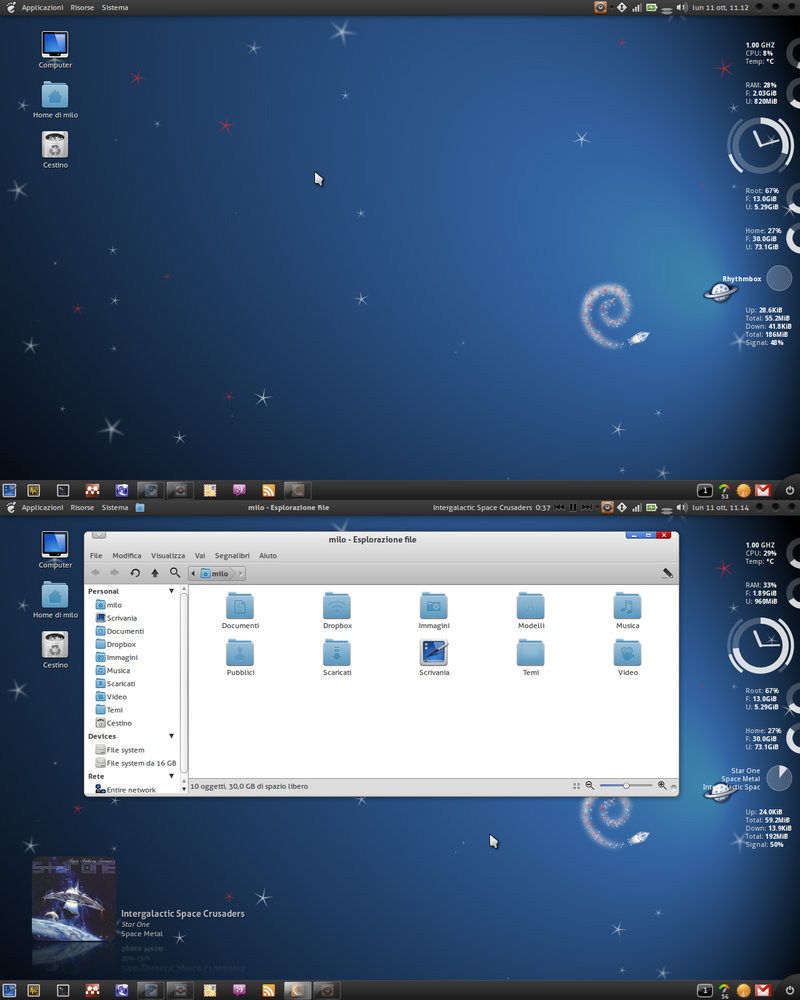
Here are new themes created for Debian release

Space Fun is well Fun (People relax we know Linux must be just Fun and Enjoyable and not Ugly like the Old farts Windows )


by @StingBL in http://stingbl.deviantart.com/art/Screenshot-Intergalactic-182283320

I like also Nightly

http://wiki.debian.org/DebianArt/Themes/Nightly


Lisp machines are really cool