Monday, March 28, 2011

Building haikuos on ubuntu or debian

I'm following this guide on ubuntu natty and debian sid

checkout haiku source code
checkot build tools and install jam
svn checkout http://svn.haiku-os.org/haiku/buildtools/trunk haiku/buildtools
cd haiku/buildtools/jam 
make 
sudo ./jam0 install 
checkout haiku
svn checkout http://svn.haiku-os.org/haiku/haiku/trunk haiku/haiku
i'm interested only in gcc4 builds
so this is the 32 bit version
./configure --build-cross-tools-gcc4 x86 ../buildtools/
jam haiku-image
qemu generated/haiku.image
and if you like the 64bit version

./configure  --build-cross-tools-gcc4 x86-64 ../buildtools/
jam haiku-image
qemu generated/haiku.image

Thursday, March 24, 2011

unity3d on lubuntu 11.04

the install of the full gnome is needed and gdm will replace lxdm

sudo apt-get install unity
sudo apt-get install ubuntu-desktop

and voila it works with the open source radeon driver (gallium3d enabled)

Saturday, March 19, 2011

Android x86 on radeon videocards

I had some issues with starting the android 2.2 on my workstation and after asking on the android-x86 group i found they way adding nomodeset to the grub entry (presstab and add nomodeset to the grub entry)

No screenshots this time :) but is really fast , I showed to one coleague how fast is google maps rendering, There is one type of free appstore and the ssh shell works pretty well
I had to change the keyboard from chineese to english
Next is to test the 3d rendering if it works with the opensource radeon driver (test it with quake 1/2/3)
I love the browser's keyboard integration (pretty good at going trough the links in a speedy way )
I need that in  Chromium/Arora too
ps: i always have the links browser habbit of pressing Alt - Left Arrow and i'm always throwed in the
first console
I think with Android 3.x can be used as netbook/desktop on almost anything
And now i know where unity/gnome3 is going is the android connection NoX fast rendering
Dumb desktop with no backward compatible with win95/xp feeling but with semimodern Apple bad interface rippof : big icons with opengl rendering enabled view (to have the animated backgrounds crap)
What is next to test :Chrome OS

Saturday, March 05, 2011

Fixes to fbexport compilation on linux systems debian/ubuntu

It's easy to compile firebird export utility just download the version from sourceforge

cd fbexport-1.90
after that modify fbcopy/TableDependency.cpp
and add
#include <stdio.h>
to the include section otherwise you will get the error error: ‘printf’ was not declared in this scope
make should complete the job (of course you need the firebird headers , check if you have them installed with dpkg -L firebird2.5-dev)


 make
g++ -c -O1 -DIBPP_LINUX -DIBPP_GCC -Iibpp -o fbcopy/args.o fbcopy/args.cpp
g++ -c -O1 -DIBPP_LINUX -DIBPP_GCC -Iibpp -o fbcopy/fbcopy.o fbcopy/fbcopy.cpp
g++ -c -O1 -DIBPP_LINUX -DIBPP_GCC -Iibpp -o fbcopy/TableDependency.o fbcopy/TableDependency.cpp
g++ -c -O1 -DIBPP_LINUX -DIBPP_GCC -Iibpp -o fbcopy/main.o fbcopy/main.cpp
g++ -c -O1 -DIBPP_LINUX -DIBPP_GCC -Iibpp -o ibpp/all_in_one.o ibpp/all_in_one.cpp
g++ -pthread -lfbclient ibpp/all_in_one.o fbcopy/args.o fbcopy/fbcopy.o fbcopy/TableDependency.o fbcopy/main.o  -oexe/fbcopy
g++ -c -O1 -DIBPP_LINUX -DIBPP_GCC -Iibpp -o fbexport/ParseArgs.o fbexport/ParseArgs.cpp
g++ -c -O1 -DIBPP_LINUX -DIBPP_GCC -Iibpp -o fbexport/FBExport.o fbexport/FBExport.cpp
g++ -c -O1 -DIBPP_LINUX -DIBPP_GCC -Iibpp -o fbexport/cli-main.o fbexport/cli-main.cpp
g++ -pthread -lfbclient ibpp/all_in_one.o fbexport/ParseArgs.o fbexport/FBExport.o fbexport/cli-main.o -oexe/fbexport


and the binary is in exe dir


exe/fbexport
--------------------------------
FBExport v1.80 by Milan Babuskov (mbabuskov), using IBPP 2.5.3.0
Tool for importing/exporting data with Firebird and InterBase databases.
Usage: fbexport -[S|Sc|Si|Sh|I|If|X|L] Options

 -S  Select = output to file  (S - binary, Si - INSERTs, Sc - CSV, Sh - HTML)
 -I  Insert = input from file
 -If Insert by Full SQL = input from file, by parameterized SQL
 -X  eXecute SQL statement, use with -F to execute sql scripts
 -L  List connected users

Options are:                           -H Host          [LOCALHOST]
 -D Database                           -U Username      [SYSDBA]
 -F Filename (use - for stdout)        -O Role
 -P Password                           -T Trim chars    [off]
 -A "Charset"                          -J "Date format" [D.M.Y]
 -Q "SQL Query statement"              -K "Time format" [H:M:S]
 -C # = Checkpoint at # rows [1000]    -M Commit at each checkpoint [off]
 -E # = Ignore up to # errors [0] Set to -1 to ignore all
 -R Rollback transaction if any errors occur while importing [off]
 -V Table = Verbatim copy of table (use -Q to set where clause if desired)
 -B Separator [,] = Field separator for CSV export. Allows special value: TAB
Command-line options are not case-sensitive (except the TAB setting)


Update
I have added a few more fixes in this fork on the github (related to linking errors) and included the compiling fixes from above 


TIP : building firebird 2.5 from source remove /tmp/firebird folder

before doing make install is better to remove the /tmp/firebird if is owned by root

with 2.5.0 i had this error
 ConfigStorage: Cannot initialize the shared memory region
        operating system directive open failed
        Permission denied 


So i have checked out the 2.5.1 from svn/bzr
bzr branch lp:firebird/2.5
cd 2.5
./autogen.sh --prefix=/opt/firebird2.5.x --enable-superserver --with-system-editline
make
stop firebird
rm -rf /tmp/firebird
make install

now firebird runs happily on CentOS release 5.5

bristol tip on !ubuntu !debian use jackd

start jackd with alsa parameter
jackd -d alsa

then start bristol
startBristol -jack -vox

connect the imputs and the outputs from Jack Audio connection Kit

out_left -> playback_1
out_right -> playback_2


ps : now  i can remove monobristol from my system and clean all dependencies :)

Tuesday, March 01, 2011

qmake love.pro not war , use qtquick use android , show middle finger to #Microsoft

Qt quick is released and is funny that the demo is the old WW hippie bus


That means only one thing , freedom from the Mokia regime :Qt lives on in MeeGo, Ubuntu, WebOS, and now Android


Nobody wants silver crapware , I want java script , v8 , css3 , webgl not a crippled evironment like ie9=new ie6 is


Warwick Thumb Singlecut + Ashdown Mag - quick groove

Friday, February 25, 2011

#Python microframework web.py and #firebird tutorial

I assume that Firebird 2.5 and python driver are installed (I use ubuntu for this tutorial)

I will start with the simple db employee from examples also i will use as starting point the web.py tutorial

First create a database and one table (insert one row) Then query the table already created


Later we will create a grid like in the web.py group thread

pencil prototyping tool is a cool xul application , runs on ubuntu , windows ...

I found the project now
If you need to create quick prototyped web pages or some app forms

on ubuntu natty 64 (standalone - seems that extension is not supported yet in firefox 4.0)
sudo apt-get install xulrunner-1.9.2

wget http://evoluspencil.googlecode.com/files/Pencil-1.2-0-linux-gtk.tar.gz
tar -zxvf Pencil-1.2-0-linux-gtk.tar.gz
cd pencil

xulrunner application.ini


Wednesday, February 23, 2011

Gallium3 nouveau on !debian sid now enabled part two

After hitting the building mesa bug error in first part
: nouveau/nouveau_class.h: No such file or directory

I have decided to install libdrm 2.4.24 but there is no such thing in debian
so you must install by source from git
git clone git://anongit.freedesktop.org/git/mesa/drm
cd drm
./autogen.sh
./configure --enable-nouveau-experimental-api --prefix=/usr
sudo make install 

Then go back to mesa dir from git
make
sudo cp lib/gallium/nouveau_dri.so /usr/lib/dri/
LIBGL_DEBUG=verbose glxinfo 2>&1 >/dev/null | grep so$
libGL: OpenDriver: trying /usr/lib/dri/tls/nouveau_dri.so
libGL: OpenDriver: trying /usr/lib/dri/nouveau_dri.so
libGL: OpenDriver: trying /usr/lib/dri/tls/nouveau_dri.so
libGL: OpenDriver: trying /usr/lib/dri/nouveau_dri.so
glxinfo | egrep renderer
OpenGL renderer string: Gallium 0.4 on NVAA

Now you can play with opengl:openarena,xonotic or webgl
So i'm really free of nvidia's blobs
Update: seems that is possible to install nouveau gallium with a simple
sudo apt-get install libgl1-mesa-dri-experimental

dpkg -L  libgl1-mesa-dri-experimental | grep nouveau
/usr/lib/dri/nouveau_dri.so

Tuesday, February 22, 2011

If you can't live without Total commander use Double Commander on #Linux #windows

Here are some screenshots and here is the project page. Powered by Free Pascal and Lazarus (pure speed/pure multiplatform) What is cool is that you can compile it with both toolkits on Linux : gtk or qt (now this is what i call it choice and elegance: toolkit/os independence)


!debian vrms would be proud of me - removed all nvidias propietary bits

Ok i removed all the nvidia's propietary bits using synaptic , webgl works in chromium only with 1-2 FPS, seems that i use the software rasterizer + vesa driver after removing xorg.conf

glxinfo | egrep 'OpenGL.*string.*'
OpenGL vendor string: Mesa Project
OpenGL renderer string: Software Rasterizer
OpenGL version string: 2.1 Mesa 7.10
OpenGL shading language version string: 1.20


nouveau if configured in x doesn't load 

[   600.070] (EE) [drm] failed to open device
[   600.070] (EE) No devices detected.

And here is the vrms report
vrms 
           Non-free packages installed on borkstationX64

rar                       Archiver for .rar files
skype                     Skype
sun-java6-bin             Sun Java(TM) Runtime Environment (JRE) 6 (architecture
sun-java6-jdk             Sun Java(TM) Development Kit (JDK) 6
sun-java6-jre             Sun Java(TM) Runtime Environment (JRE) 6 (architecture
sun-java6-plugin          The Java(TM) Plug-in, Java SE 6
warsow-data               Game data for Warsow

Non-free packages with status other than installed on borkstationX6

flashplayer-mozilla       ( dei)  Macromedia Flash Player

           Contrib packages installed on borkstationX64

flashplugin-nonfree       Adobe Flash Player - browser plugin
warsow                    fast paced 3D first person shooter

  8 non-free packages, 0.3% of 2332 installed packages.
  2 contrib packages, 0.1% of 2332 installed packages.

Update: noveau started after reboot
seems that nvidia driver was still loaded
but still 3d support is software only
so i have to force it or build gallium3d myself for better fps in 3d applications

Here is how is done in debian/ubuntu

#oracle Virtualbox 4.0.x doesn't work on !debian sid

Seems that is a known issue ,
I have dist-upgraded and from vbox 3.x is now 4.0 but that is very slow
the windowsxp vm works with cpu 100% in top and the mouse moves like in slow motion
I will remove virtualbox and use virt-manager from now on


ps: yah i want to see my grades on the university website ...works on ie only fsck

Sunday, February 20, 2011

Brancusi v. United States : how the Bird in space became Kitchen Utensils and other Phallic objects

It's funny when the state decides what is art and what is Kitchen Utensil

http://en.wikipedia.org/wiki/Bird_in_Space
http://www.legalaffairs.org/issues/September-October-2002/story_giry_sepoct2002.msp

But the humor doesn't stop there Princess X is priceless :
"In 1920 he developed a notorious reputation with the entry of "Princess X" in the Salon. The phallic shape of the piece scandalized the Salon, and despite Brâncuşi's explanation that it was an anonymous portrait, removed it from the exhibition. "Princess X" was revealed to be Princess Marie Bonaparte, direct descendant of the younger brother of Napoleon Bonaparte. Brâncuşi represented or caricatured her life as a large gleaming bronze phallus. This phallus symbolizes the model's obsession with the penis and her lifelong quest to achieve vaginal orgasm, with the help of Sigmund Freud"

And when you think that Communists wanted to destroy "The Endless Column" with the help of Tractors , Thank good they couldn't take it down (I guess it was too well stuck in earth crust).. Again Fate or God's Humor

testing android-x86 with kvm-linux

I have started the latest stable with the following and choosing vesa mode

kvm -soundhw es1370 -net nic -net user -cdrom android-x86-2.2-generic.iso

later i will create a virt-manager machine and install it on a virtual hdd

What i didn't figured is howto enable the network but it will be solved in the virtmanager
Auto orientation is annoying , also implicit language for the keyboard seems to be Chinese
I guess it can be changed

The good news it works faster than the virtual box version

Saturday, February 19, 2011

Android sdk wishlist hardware acceleration :QemuKVM + QXL opengl driver

I wish that android sdk contained an accelerated qemu+kvm engine + a driver that supports opengl es 2.0 something like the qxl driver for kvm

Anyway i see that android-x86 will run under qemu-kvm easily and i will try that way

Friday, February 18, 2011

The power of open source i can build my own android-x86

I have a spare partition so i will build from source and install android-x86 on it just to test it how it works on a real desktop

The only problems to build on my 64bit stattion were to add
some 32bit libs and headers
sudo apt-get install ia32-libs  g++-multilib gcc-multilib 
lib32z1-dev lib32ncurses5-dev 

checked my partition with fdisk -l
sudo fdisk -l /dev/sda

   Device Boot      Start         End      Blocks   Id  System
/dev/sda1               1         243     1951866   82  Linux swap 
/dev/sda2            7781        9729    15655342+  83  Linux
/dev/sda3             244        3890    29294527+  83  Linux
/dev/sda4            3891        5111     9807682+  83  Linux

my android partition is sda4
sudo mkfs.ext3 /dev/sda4
sudo mount /dev/sda4 /mnt/

from
android-x86/out/target/product/generic_x86/usb_boot
i copied all the android-system folder
sudo cp -rp * /mnt/

added these lines in
/etc/grub.d/40_custom

menuentry "Android_x86" {
set root=(hd0,3)
linux /android-system/kernel root=/dev/ram0 ro  acpi_sleep=s3_bios,s3_mode SCR=/android-system
initrd /android-system/initrd.img
}

hd0,3 is first hdd (sda) and fourth partition (if you do partition numbering from 0..3)

sudo su 
cd /boot/grub
grub-mkconfig > grub.cfg

hmm grub doesn't find my kernel
i will try to dd to the usb stick

Hardware report for my !ubuntu #Lubuntu station

I always loved the lubuntu hardware report System Tools - System profiler and benchmark
how is done , simple and useful
So here is my report for lubuntu natty

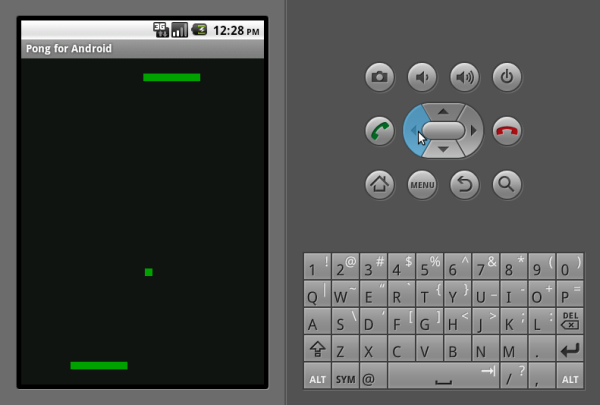
Finished to read and test the pong2d android tutorial

here is the tutorial that can be followed by anyone, now i will transform to the opengl version