Tuesday, August 26, 2008

Cakephp Blog tutorial for Ubuntu Firebird and Nginx part 2

If all previous configuration was done then from now on it should be quite simple to
work with original tutorial
so we will follow it from 10.1.6 to the end 10.1.14

Create a Post Model


The Model class is the bread and butter of CakePHP applications. By creating a CakePHP model that will interact with our database, we'll have the foundation in place needed to do our view, add, edit, and delete operations later.
CakePHP's model class files go in /app/models, and the file we'll be creating will be saved to /app/models/post.php. The completed file should look like this:


Naming convention is very important in CakePHP. By naming our model Post, CakePHP can automatically infer that this model will be used in the PostsController, and will be tied to a database table called posts.

For more on models, such as table prefixes, callbacks, and validation, check out the Models chapter of the Manual.

Create a Posts Controller


Next, we'll create a controller for our posts. The controller is where all the business logic for post interaction will happen. In a nutshell, it's the place where you play with the models and get post-related work done. We'll place this new controller in a file called posts_controller.php inside the /app/controllers directory. Here's what the basic controller should look like:

vim app/controllers/posts_controller.php


If you test now the /posts controller you will see that no action is defined for index

http://localhost/posts/


Now, lets add an action to our controller. Actions often represent a single function or interface in an application. For example, when users request www.example.com/posts/index (which is also the same as www.example.com/posts/), they might expect to see a listing of posts. The code for that action would look something like this:


Let me explain the action a bit. By defining function index() in our PostsController, users can now access the logic there by requesting www.example.com/posts/index. Similarly, if we were to define a function called foobar(), users would be able to access that at www.example.com/posts/foobar.

The single instruction in the action uses set() to pass data from the controller to the view (which we'll create next). The line sets the view variable called 'posts' equal to the return value of the find('all') method of the Post model. Our Post model is automatically available at $this->Post because we've followed Cake's naming conventions.
To learn more about Cake's controllers, check out Chapter "Developing with CakePHP" section: "Controllers".
If you try to load it you will see the missing view error
http://localhost/posts/


So we have to create the view

Now that we have our data flowing to our model, and our application logic and flow defined by our controller, let's create a view for the index action we created above.
Cake views are just presentation-flavored fragments that fit inside an application's layout. For most applications they're HTML mixed with PHP, but they may end up as XML, CSV, or even binary data.
Layouts are presentation code that is wrapped around a view, and can be defined and switched between, but for now, let's just use the default.
Remember in the last section how we assigned the 'posts' variable to the view using the set() method? That would hand down data to the view that would look something like this:
$ mkdir app/views/posts
$ vim app/views/posts/index.ctp


Array ( [0] => Array ( [Post] => Array ( [id] => 1 [title] => Foo bazz bar [body] => test blog [created] => 2008-08-22 15:33:17 [modified] => 2008-08-22 15:33:17 ) ) [1] => Array ( [Post] => Array ( [id] => 2 [title] => bazz bar Foo [body] => test blog2 [created] => 2008-08-22 15:33:17 [modified] => 2008-08-22 15:33:17 ) ) )


Cake's view files are stored in /app/views inside a folder named after the controller they correspond to (we'll have to create a folder named 'posts' in this case). To format this post data in a nice table, our view code might look something like this:

Hopefully this should look somewhat simple.


You might have noticed the use of an object called $html. This is an instance of the CakePHP HtmlHelper class. CakePHP comes with a set of view helpers that make things like linking, form output, JavaScript and Ajax a snap. You can learn more about how to use them in Chapter "Built-in Helpers", but what's important to note here is that the link() method will generate an HTML link with the given title (the first parameter) and URL (the second parameter).
When specifying URL's in Cake, you simply give a path relative to the base of the application, and Cake fills in the rest. As such, your URL's will typically take the form of /controller/action/param1/param2.
At this point, you should be able to point your browser to http://www.example.com/posts/index. You should see your view, correctly formatted with the title and table listing of the posts.
If you happened to have clicked on one of the links we created in this view (that link a post's title to a URL /posts/view/some_id), you were probably informed by CakePHP that the action hasn't yet been defined.


If you were not so informed, either something has gone wrong, or you actually did define it already, in which case you are very sneaky. Otherwise, we'll create it in the PostsController now:


The set() call should look familiar. Notice we're using read() rather than find('all') because we only really want a single post's information.

Notice that our view action takes a parameter: the ID of the post we'd like to see. This parameter is handed to the action through the requested URL. If a user requests /posts/view/3, then the value '3' is passed as $id.

Now let's create the view for our new 'view' action and place it in /app/views/posts/view.ctp.

Verify that this is working by trying the links at /posts/index or manually requesting a post by accessing /posts/view/1.


Adding Posts


Reading from the database and showing us the posts is a great start, but lets allow for the adding of new posts.
First, start by creating an add() action in the PostsController:

Here's what the add() action does: if the submitted form data isn't empty, try to save the data using the Post model. If for some reason it doesn't save, just render the view. This gives us a chance to show the user validation errors or other warnings.
When a user uses a form to POST data to your application, that information is available in $this->data. You can use the pr() to print it out if you want to see what it looks like.
The $this->flash() function called is a controller method that flashes a message to the user for a second (using the flash layout) then forwards the user on to another URL (/posts, in this case).
If DEBUG is set to 0, $this->flash() will redirect automatically. If DEBUG is greater than 0 (DEBUG is 2 by default) flash messages do not redirect.
Calling the save() method will check for validation errors and abort the save if any occur. We'll discuss how those errors are handled in the following sections.

Data Validation


Cake goes a long way in taking the monotony out of form input validation. Everyone hates coding up endless forms and their validation routines. CakePHP makes it easier and faster.
To take advantage of the validation features, you'll need to use Cake's FormHelper in your views. The FormHelper is available by default to all views at $form.
Here's our add view:
vim app/views/posts/add.ctp
Here, we use the FormHelper to generate the opening tag for an HTML form. Here's the HTML that $form->create() generates:
< id="PostAddForm" method="post" action="/posts/add">
If create() is called with no parameters supplied, it assumes you are building a form that submits to the current controller's add() action, via POST.
The $form->input() method is used to create form elements of the same name. The first parameter tells CakePHP which field they correspond to, and the second parameter allows you to specify a wide array of options — in this case, the number of rows for the textarea. There's a bit of introspection and automagic here: input() will output different form elements based on the model field specified.
The $form->end() call generates a submit button and ends the form. If a string is supplied as the first parameter to end(), the FormHelper outputs a submit button named accordingly along with the closing form tag. Again, refer to Chapter "Built-in Helpers" for more on helpers.
Now let's go back and update our /app/views/posts/index.ctp view to include a new "Add Post" link. Before the
, add the following line:
http://github.com/mariuz/firetube/commit/136a4015517c45db34b89b4376520d759f0df759
You may be wondering: how do I tell CakePHP about my validation requirements? Validation rules are defined in the model. Let's look back at our Post model and make a few adjustments:
$ vim app/models/post.php
The $validate array tells CakePHP how to validate your data when the save() method is called. Here, I've specified that both the body and title fields must not be empty. CakePHP's validation engine is strong, with a number of pre-built rules (credit card numbers, email addresses, etc.) and flexibility for custom validation rules. For more information on that setup, check the Data Validation chapter.
Now that you have your validation rules in place, use the app to try to add a post with an empty title or body to see how it works. Since we've used the input() method of the FormHelper to create our form elements, our validation error messages will be shown automatically.


Deleting Posts

Next, let's make a way for users to delete posts. Start with a delete() action in the PostsController:
function delete($id) {
 $this->Post->del($id);
 $this->flash('The post with id: '.$id.' has been deleted.', '/posts');
}

This logic deletes the post specified by $id, and uses flash() to show the user a confirmation message before redirecting them on to /posts.
Because we're just executing some logic and redirecting, this action has no view. You might want to update your index view with links that allow users to delete posts, however:


Monday, August 25, 2008

previous ffmpeg install script is now rewritten in php


for the moment is tested on ubuntu hardy

also it is split so there are mini scripts for flvtool2 and mencoder/mplayer
when i failed to push some refs to 'git@github.com:mariuz/firebird_scripts.git'


git push origin master
To git@github.com:mariuz/firebird_scripts.git
! [rejected] master -> master (non-fast forward)
error: failed to push some refs to 'git@github.com:mariuz/firebird_scripts.git'


so seems that i need to pull first and then push it again (Some readme was modfied elsewhere)

git pull git@github.com:mariuz/firebird_scripts.git master
From git@github.com:mariuz/firebird_scripts
* branch master -> FETCH_HEAD
Merge made by recursive.
README | 10 ++++++----
1 files changed, 6 insertions(+), 4 deletions(-)


git push origin master
Counting objects: 7, done.
Compressing objects: 100% (5/5), done.
Writing objects: 100% (5/5), 1.10 KiB, done.
Total 5 (delta 2), reused 0 (delta 0)
To git@github.com:mariuz/firebird_scripts.git
2ff4ccf..11d752a master -> master

testing firefox nightly - crashy foxy 3.1

on my ubuntu intrepid ibex 64 i wanted to test the new jit things
http://ejohn.org/blog/tracemonkey/

wget http://ftp.mozilla.org/pub/mozilla.org/firefox/nightly/latest-trunk/firefox-3.1a2pre.en-US.linux-x86_64.tar.bz2
cd firefox/


./firefox

enable the jit

javascript.options.jit.content true

then do some tests

http://people.mozilla.com/~schrep/image12.html

epiphany-webkit in intrepid ibex

sudo apt-get install epiphany-webkit


is still buggy , seems to crash when i try to post in blogger.com and have issues with flash plugin
epiphany-webkit ^CSegmentation fault (core dumped) mariuz@borkstationx64:~/work/midori$ epiphany-webkit The program 'npviewer.bin' received an X Window System error. This probably reflects a bug in the program. The error was 'BadWindow (invalid Window parameter)'. (Details: serial 10 error_code 3 request_code 3 minor_code 0) (Note to programmers: normally, X errors are reported asynchronously; that is, you will receive the error a while after causing it. To debug your program, run it with the --sync command line option to change this behavior. You can then get a meaningful backtrace from your debugger if you break on the gdk_x_error() function.)


but is good that is here , i use epiphany with gecko a lot and an good alternative
is wellcome

git pull with master branch

I wanted to sync with my master branch from main repository
I have added some files in the weekend , and got this message from git

cd /opt/nginx/html/firetube

$ git pull
You asked me to pull without telling me which branch you
want to merge with, and 'branch.master.merge' in
your configuration file does not tell me either. Please
name which branch you want to merge on the command line and
try again (e.g. 'git pull ').
See git-pull(1) for details on the refspec.

If you often merge with the same branch, you may want to
configure the following variables in your configuration
file:

branch.master.remote =
branch.master.merge =
remote..url =
remote..fetch =

See git-config(1) for details.

$ git pull git@github.com:mariuz/firetube.git master
From git@github.com:mariuz/firetube
* branch master -> FETCH_HEAD
Updating 1e85082..7a3c469
Fast forward
app/config/sql/firetube.sql | 51 ++++++++++++++++++++++++++++++++++
app/controllers/posts_controller.php | 14 +++++++--
app/models/post.php | 13 +++++++-
app/views/posts/add.ctp | 7 ++++
app/views/posts/index.ctp | 1 +
5 files changed, 81 insertions(+), 5 deletions(-)
create mode 100644 app/config/sql/firetube.sql
create mode 100644 app/views/posts/add.ctp


Friday, August 22, 2008

when you push to the wrong url


I git pushed to the wrong url
git clone git://github.com/mariuz/firebird_scripts.git
modified README
and then

git commit -a
Created commit 7365a4d: Modified the README
1 files changed, 2 insertions(+), 2 deletions(-)
mariuz@borkstation64:~/work/firebird_scripts$ git push origin master
fatal: protocol error: expected sha/ref, got '
*********'

You can't push to git://github.com/user/repo.git
Use git@github.com:user/repo.git

*********'


rm -rf firebird_scripts

instead it should work with this url so i can push


git clone git@github.com:mariuz/firebird_scripts.git
Initialized empty Git repository in /home/mariuz/work/firebird_scripts/.git/
The authenticity of host 'github.com (65.74.177.129)' can't be established.
RSA key fingerprint is 16:27:ac:a5:76:28:2d:36:63:1b:56:4d:eb:df:a6:48.
Are you sure you want to continue connecting (yes/no)? yes
Warning: Permanently added 'github.com,65.74.177.129' (RSA) to the list of known hosts.
remote: Counting objects: 116, done.
remote: Compressing objects: 100% (54/54), done.
remote: Total 116 (delta 56), reused 116 (delta 56)
Receiving objects: 100% (116/116), 11.51 KiB, done.
Resolving deltas: 100% (56/56), done.

Cakephp 1.2.x tutorial for Ubuntu Firebird and Nginx

You're probably checking out this tutorial because you want to use firebird  with cakephp.


We will create acreation of a simple blog application. We'll be getting and installing Cake, creating and configuring a database, and creating enough application logic to list, add, edit, and delete blog posts.
Here's what you'll need:
  1. A running web server. We're going to assume you're using Nginx , that is the recommended for performance and for it's simple elegance
  2. A database server. We're going to be using Firebird in this tutorial. You'll need to know enough about SQL in order to create a database but is good if you know the Relational way.
  3. Basic PHP knowledge. The more object-oriented programming you've done, the better
  4. Finally, you'll need a basic knowledge of the MVC programming pattern. A quick overview can be found in Chapter "Beginning With CakePHP", Section : Understanding Model-View-Controller. 
Installing nginx can be done by using this php script in ubuntu/debian

$ sudo apt-get install git-core php5-cli
$ git clone  git://github.com/mariuz/firebird_scripts.git
$ cd firebird_scripts
$ sudo php nginx-build.php

Follow this guide to install firebird and php5-interbase
https://help.ubuntu.com/community/Firebird2.5

add firebird repository

sudo pico /etc/apt/sources.list.d/firebird.list

and add
deb http://ppa.launchpad.net/mapopa/ubuntu natty main
deb-src http://ppa.launchpad.net/mapopa/ubuntu natty main

$apt-get update
$sudo apt-get -y --force-yes install firebird2.5-super php5-interbase
$sudo dpkg-reconfigure firebird2.5-super

For installing firebird you can run this script from the firebird-scripts
it will do all the above steps

$sudo php firebird-install.php


and optionally flamerobin if you are on desktop side
$sudo apt-get install flamerobin

Getting Cake


First, let's get a copy of fresh Cake code.
To get a fresh download, visit the CakePHP project at github:
https://github.com/cakephp/cakephp/tags
and download the stable release. For this tutorial you need 1.2.x.x

$ wget https://github.com/cakephp/cakephp/tarball/1.2.11 -O cakephp-1.2.11.tar.gz
$tar -zxvf cakephp-1.2.11.tar.gz
$ chown -R www-data.www-data cakephp-cakephp-*
$ sudo mv cakephp-cakephp-* /opt/nginx/html/firetube
or run this script from the firebird-scripts
$sudo php cake-install.php


Regardless of how you downloaded it, place the code inside of your DocumentRoot. Once finished, your directory setup should look something like the following:
/opt/nginx/html/firetube
/app
/cake
/docs
/vendors
.htaccess
index.php


Now might be a good time to learn a bit about how Cake's directory
structure works: check out Chapter "Basic Principles of CakePHP", Section :
CakePHP File Structure.

load localhost and you should see something like this


Creating the Blog Database

Next, lets set up the underlying database for our blog. Right now, we'll just create a single table to store our posts. We'll also throw in a few posts right now to use for testing purposes. Execute the following SQL statements into your database
I have created the database with flamerobin

Database -> Create new database
Display name:firetube
Database:path:/var/lib/firebird/2.5/data/firetube.fdb
Username:sysdba
password:masterkey

/****************** GENERATORS ********************/
CREATE GENERATOR GEN_POSTS_ID;
/******************** TABLES **********************/
CREATE TABLE POSTS
(
ID Integer NOT NULL,
TITLE Varchar(50),
BODY Varchar(2000),
CREATED Timestamp,
MODIFIED Timestamp,
PRIMARY KEY (ID)
);
/******************** TRIGGERS ********************/
SET TERM ^ ;
CREATE TRIGGER POSTS_BI FOR POSTS ACTIVE
BEFORE INSERT POSITION 0
AS
BEGIN
IF (NEW.ID IS NULL) THEN
NEW.ID = GEN_ID(GEN_POSTS_ID, 1);
END^
SET TERM ; ^
GRANT DELETE, INSERT, REFERENCES, SELECT, UPDATE
ON POSTS TO SYSDBA WITH GRANT OPTION;
INSERT INTO "POSTS" ("TITLE","BODY","MODIFIED","CREATED") VALUES ('Foo bazz bar','test blog ','now','now');

INSERT INTO "POSTS" ("TITLE","BODY","MODIFIED","CREATED") VALUES (' bazz bar Foo','test blog2 ','now','now');


The choices on table and column names are not arbitrary. If you follow Cake's database naming conventions, and Cake's class naming conventions (both outlined in "CakePHP Conventions"), you'll be able to take advantage of a lot of free functionality and avoid configuration. Cake is flexible enough to accomodate even the worst legacy database schema, but adhering to convention will save you time.
Check out "CakePHP Conventions" for more information, but suffice it to say that naming our table 'posts' automatically hooks it to our Post model, and having fields called 'modified' and 'created' will be automagically managed by Cake.

Cake Database Configuration


A copy of CakePHP's database configuration file is found in /app/config/database.php.default. Make a copy of this file in the same directory, but name it database.php.
The config file should be pretty straightforward: just replace the values in the $default array with those that apply to your setup. A sample completed configuration array might look something like the following:
var $default = array(
'driver' => 'firebird',
'persistent' => false,
'host' => 'localhost',
'port' => '',
'login' => 'sysdba',
'password' => 'masterkey',
'database' => '/var/lib/firebird/2.5/data/firetube.fdb',
'schema' => '',
'prefix' => '',
'encoding' => ''
);

Once you've saved your new database.php file, you should be able to open your browser and see the Cake welcome page. It should also tell you that your database connection file was found, and that Cake can successfully connect to the database.


Optional Configuration


There are two other items that can be configured. Most developers complete these laundry-list items, but they're not required for this tutorial. One is defining a custom string (or "salt") for use in security hashes. The second item is allowing CakePHP write access to its tmp folder.
The security salt is used for generating hashes. Change the default salt value by editing /app/config/core.php line 153. It doesn't much matter what the new value is, as long as its not easily guessed.
/**
* A random string used in security hashing methods.
*/
Configure::write('Security.salt', 'pl345e-P45s_7h3*S@l7!');
The final task is to make the app/tmp directory web-writable. The best way to do this is to find out what user your webserver runs as () and change the ownership of the app/tmp directory to that user. The final command you run (in *nix) might look something like this.
$ chown -R www-data app/tmp
If for some reason CakePHP can't write to that directory, you'll be informed by a warning while not in production mode.

So all it should be all green in configuration check


Note on rewrite on nginx


Occasionally a new user will run in to rewrite issues, so I'll mention them marginally here. If the CakePHP welcome page looks a little funny (no images or css styles), it probably means rewrite isn't functioning on your system. Here are some tips to help get you up and running on nginx

location / {
root html/firetube/app/webroot;
index index.php;
# If the file exists as a static file serve it
# directly without running all
# the other rewite tests on it
if (-f $request_filename) {
break;
}
if (!-f $request_filename) {
rewrite ^/(.+)$ /index.php?url=$1 last;
break;
}
}

You can follow now the part 2 from this tutorial
debian live image - create and customize it

This thread will cover how I use live-helper to create a base image, add software to the base image, and customize it.


seems that ubuntu cd is too bloated so i have to start with basic debian cd


Thursday, August 21, 2008

Creating a Flamerobin/Firebird livecd with Ubuntu Hardy

this is an howto create your own ubuntu live cd with firebird/ubuntu and custom applications ,in guide ubuntu variation used was Xubuntu (is smaller and can be customized easier ) but it works for any hardy release

read more | digg story
adding locale in debian and php

sudo apt-get install language-pack-ro-base or
sudo apt-get install language-pack-fr-base

sudo dpkg-reconfigure locales

locale -a
C
de_AT.utf8
de_BE.utf8
de_CH.utf8
de_DE.utf8
de_LU.utf8
en_US.utf8
fr_BE.utf8
fr_CA.utf8
fr_CH.utf8
fr_FR.utf8
fr_LU.utf8
POSIX
ro_RO.utf8


write an php test script locales.php

setlocale(LC_TIME, 'ro_RO.UTF8'); // note the charset info !
echo strftime("%B");


php locales.php
august
Transforming your Installation into a Live DVD/CD

This HOWTO is about making a live CD/DVD from the main system on your hard drive. This might be desired if you have customized your system and want to have it on CD.

Wednesday, August 20, 2008

Nginix + php howto

#1. install the needed packages
$apt-get install php5-cli php5-cgi build-essential libpcre3 libpcre3-dev libpcrecpp0 libssl-dev zlib1g-dev
#2. install nginix from source

$mkdir -p /opt/build/nginx
$cd /opt/build/nginx
$wget --continue http://sysoev.ru/nginx/nginx-0.7.32.tar.gz
$tar -zxvf nginx-0.6.32.tar.gz
$cd nginx-0.6.32
$./configure --prefix=/opt/nginx --with-http_flv_module
$make
$sudo make install
#3.install fast cgi support for php http://www.howtoforge.com/nginx_php5_fast_cgi_xcache_ubuntu7.04


wget http://www.lighttpd.net/download/lighttpd-1.4.19.tar.gz
tar -zxvf lighttpd-1.4.19.tar.gz
cd lighttpd-1.4.19
./configure ; make

cp src/spawn-fcgi /usr/bin/spawn-fcgi

sudo vi /usr/bin/php-fastcgi

#!/bin/sh
/usr/bin/spawn-fcgi -a 127.0.0.1 -p 9000 -u www-data -f /usr/bin/php5-cgi


sudo chmod +x /usr/bin/php-fastcgi

update-rc.d init-fastcgi defaults


/etc/init.d/init-fastcgi start

in nginx conf uncomment add these lines

location ~ \.php$ {
root /var/www;
fastcgi_pass 127.0.0.1:9000;
fastcgi_index index.php;
fastcgi_param SCRIPT_FILENAME /var/www/$fastcgi_script_name;
include fastcgi_params;
}


and you should start the nginix server

$/opt/nginx/sbin/nginx

load the http://localhost


You can add an init script for it this way

Tuesday, August 19, 2008

Why git ? , and start replacing your svn repository

Start using git-svn and mirror the svn repository with all it's history
then if you feel safe you can work directly on it and push to svn when an release is needed

http://google-opensource.blogspot.com/2008/05/develop-with-git-on-google-code-project.html
http://cheat.errtheblog.com/s/gitsvn/
http://andy.delcambre.com/2008/3/4/git-svn-workflow

Many projects are using git as their main DVCS
ROR, QT,Linux Kernel, Samba , Free Desktop , VLC, Google Android
http://git.or.cz/gitwiki/GitProjects
http://www.youtube.com/watch?v=4XpnKHJAok8


Also there is an windows version , I have tested the msysGit

Git on MSYS is already used in production environments. It comes in an installer package, supports Git command-line usage (both Git-Bash and Windows Command-line) and Git-GUI/Gitk and also has basic Explorer integration
http://ie.brokethe.net/2008/3/19/git-on-windows


For Eclipse there is an git plugin , but we have to test it (i used git only from the commandline )
http://git.or.cz/gitwiki/EclipsePlugin
http://cho.hapgoods.com/wordpress/?p=159


ps: here is an git book for learning
http://cworth.org/hgbook-git/tour/
Firebird 2.5 build script is in git now

You might need git for this script and php

$ sudo apt-get install git-core php5-cli

$ git clone git://github.com/mariuz/firebird_scripts.git
$ cd firebird_scripts
$ php firebird-build.php

Monday, August 18, 2008


xdebug it worked with vim at last , also i started to make it work with eclipse too

Here are some related tutorials

Vim and xdebug setup
http://2bits.com/articles/using-vim-and-xdebug-dbgp-for-debugging-drupal-or-any-php-application.html

eclipse and xdebug
http://dev.phpeclipse.com/wiki/XDebug_and_PHPEclipse

And check the 10 minutes guide to interactive php debugger in vim

Friday, August 15, 2008

Installing kvm for the conference

For the firebird conference i have installed jeos on an kvm based virtual machine

Here is the guide for installing kvm on ubuntu

I have installed kvm using this guide on an cpu that supports'it

Then I downloaded the ubuntu hardy version for JeOs
an generic install cd for virtual appliances

wget http://cdimage.ubuntu.com/jeos/releases/hardy/release/


ps: virtualbox failed to be installed on my intrepid box also i will try to install it at home
you should worry Russia invaded Georgia state !!!!
the Tanks are at the gas pumps everywere


gOS Gadgets


gOS Gadgets
Originally uploaded by jobykent
gOS looks better than my desktop

i will try the gadgets soon

Thursday, August 14, 2008

clone the php5.x git tree

here is the unofficial git tree for php

$git clone git://chinstrap.eu/srv/git/php/php-src.git
Initialized empty Git repository in /home/mariuz/work/php/php-src/.git/
remote: Counting objects: 334690, done.
remote: Compressing objects: 100% (68002/68002), done.
Receiving objects: 75% (253188/334690), 76.21 MiB | 285 KiB/s
building from git debian way on hardy

git clone git://git.videolan.org/vlc/git.git

cp -r vlc-0.9.0-git20080726/debian vlc
this was from previous snapshot

added in control
libxxf86dga-dev
libxxf86vm-dev

in rules
--disable-live555

on intrepid i have modified in control
libdc1394-22-dev

also i have removed the line with libgrowl_udp_plugin
in vlc-nox.install

./bootstrap
cd debian
dch -i
debuild -i

Wednesday, August 13, 2008

This paper covers how DNS works: first at a high level, then by picking apart an individual packet exchange field by field. Next, we'll use this knowledge to see how weaknesses in common implementations can lead to cache poisoning.

By fully understanding the issues at play, the reader may be better equipped to mitigate the risks in his or her own environment.

Monday, August 11, 2008

Forced-Writes and Firebird database corruption

Since Firebird 2.1 forced-writes also work in linux. With that in mind I put together a comparison between the two modes.What are forced-writes and when to use them?I hope DBAs who like to live dangerously find this useful.

read more | digg story

Wednesday, July 30, 2008

PostgreSQL - Firebird comparison - updated

I decided to add some infos about the latest Firebird release, see it in action

read more | digg story

Firebird Intl Conference (Italy) - Timetable is online

The timetable for the International Firebird Conference is now available in the official site. Register this week and get earlybird discount!

read more | digg story

Setting up ColdFusion and Firebird

After a long struggle on Devshed forums I decided to try on my own, after all I know Firebird and don’t see why it and ColdFusion can’t play nice together … infact they did, and easily.

read more | digg story

Versioning monitoring tables in Firebird 2.1/2.5

Firebird 2.1 added the long-awaited monitoring tables. By querying special system tables starting with MON$, you get a snapshot of the current activities in your database like who is connected to your database, which transactions and statements are running and so on

read more | digg story

Friday, July 25, 2008

From svn to git

now I can use svn repository from google code or from flamerobin
and then push it to github or keep it local

An nice guide for gnome developers is here
Git modifications and push to origin master (aka git hub )

$ vi README
$ cat README
Readme modified
$ git status
# On branch master
# Changed but not updated:
# (use "git add ..." to update what will be committed)
#
# modified: README
#
no changes added to commit (use "git add" and/or "git commit -a")
$ git commit -a
Created commit d47c527: test modifications
1 files changed, 1 insertions(+), 0 deletions(-)
$ git push origin master
Counting objects: 5, done.
Writing objects: 100% (3/3), 254 bytes, done.
Total 3 (delta 0), reused 0 (delta 0)
To git@github.com:mariuz/firebird_scripts.git
145b8ed..d47c527 master -> master


creating an git repository was easy (at github)

$ mkdir firebird_scripts
$ cd firebird_scripts
$ git init
$ touch README

$ git add README
$git commit -m 'first commit'
Created initial commit 145b8ed: first commit
0 files changed, 0 insertions(+), 0 deletions(-)
create mode 100644 README
$ git remote add origin git@github.com:mariuz/firebird_scripts.git

git push origin master
The authenticity of host 'github.com (65.74.177.129)' can't be established.
RSA key fingerprint is 16:27:ac:a5:76:28:2d:36:63:1b:56:4d:eb:df:a6:48.
Are you sure you want to continue connecting (yes/no)? yes
Warning: Permanently added 'github.com,65.74.177.129' (RSA) to the list of known hosts.
Counting objects: 3, done.
Writing objects: 100% (3/3), 202 bytes, done.
Total 3 (delta 0), reused 0 (delta 0)
To git@github.com:mariuz/firebird_scripts.git
* [new branch] master -> master


So here is my repository
Bear with Me

- Mummmmy
- I'm Not Your Mommy


http://www.pidjin.net/2008/07/21/bear-with-me/
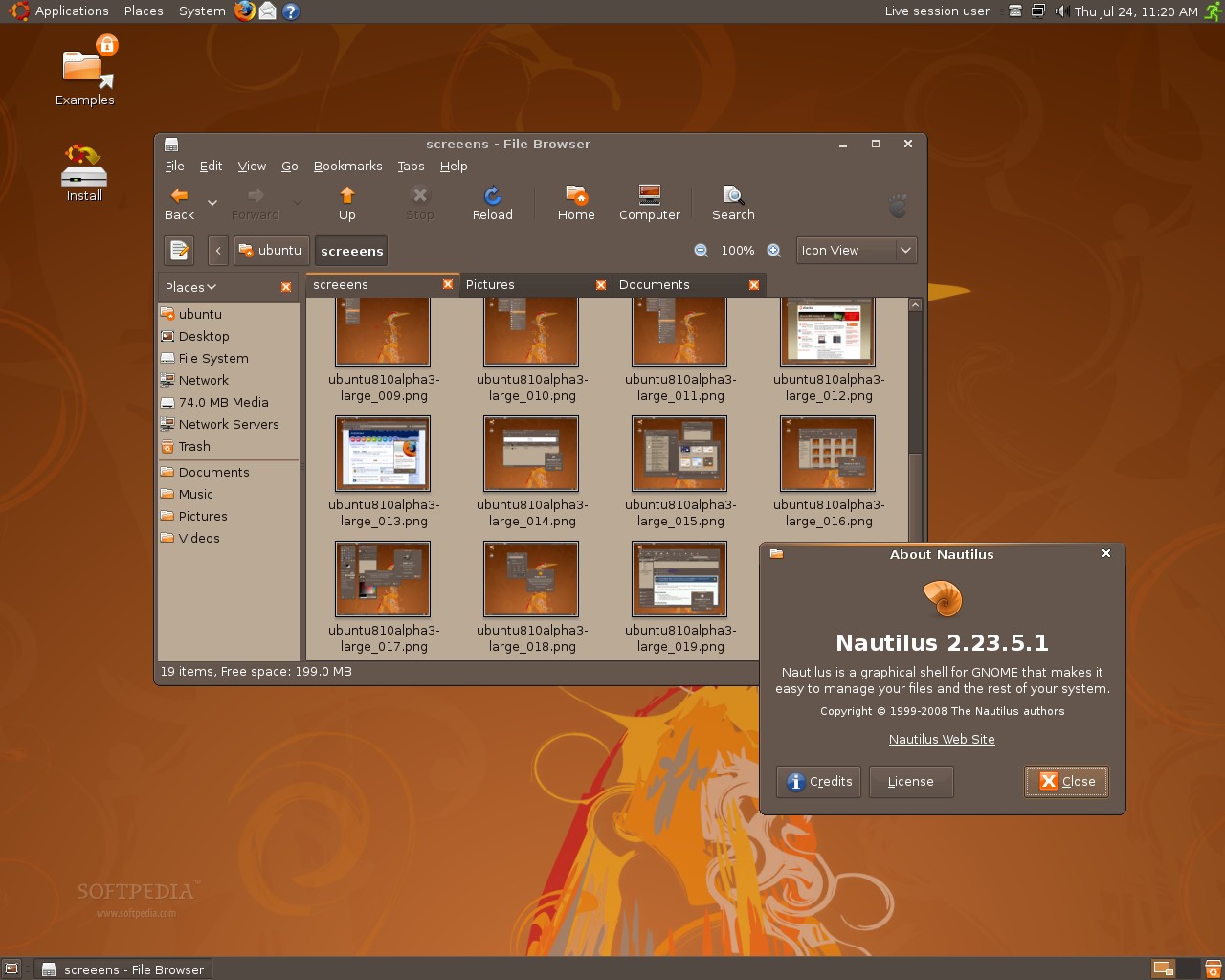
Ubuntu 8.10 Alpha 3 comes with a brand new development version of the Nautilus file manager (with tabs) and a new Linux kernel, version 2.6.26-4 (based on 2.6.26). It also includes the following applications


Thursday, July 24, 2008

building firebird 2.5 from source on ubuntu hardy

here is the script in google code

moving apache php hosts to nginx (scaling plan)


In the first stage we will use nginx to handle all images and files like javascript (is very fast and we can set high keepalive)
nginx can process php files from cakephp with fastcgi and i have wrote about the first test i have made at home for it (tested and worked the cake 1.2 and fastcgi on an ubuntu hardy system)

But to be safe we can keep apache and in first stage we use nginx as frontend for images and for php apache will handle the request
And if all ok we can switch later to an full nginx system without apache .(in part two)


Also nginx can be used as an load balancer (for content delivery) so in future if is needed we can add more servers for php serving


Think there will be more nginx servers but this only if there is a need to spread the load to many servers


git for developers , not only for gnome but for all that use subversion

http://live.gnome.org/GitForGnomeDevelopers
i had to compile vlc from git because it seems the package building is broken for me
at the moment

$git clone git://git.videolan.org/vlc
$ cd vlc
$ sudo ./bootstrap
$ ./configure --mandir=/share/man --build=x86_64-linux-gnu --enable-maintaner-mode --enable-release --prefix=/opt/vlc --enable-libtool --enable-fast-install --disable-update-check --disable-gnome --disable-gtk --disable-familiar --disable-fb --enable-ggi --enable-sdl --enable-esd --enable-mad --enable-arts --enable-alsa --enable-jack --enable-pulse --disable-lirc --enable-a52 --disable-aa --enable-dvbpsi --enable-mozilla --disable-kde --enable-mp4 --enable-dvb --disable-satellite --enable-ogg --enable-vorbis --disable-shout --disable-wxwidgets --enable-qt4 --disable-slp --enable-flac --disable-skins --disable-basic-skins --enable-skins2 --enable-freetype --enable-mkv --enable-speex --enable-caca --disable-live555 --enable-libmpeg2 --disable-fribidi --enable-cdio --enable-mod --enable-theora --enable-modplug --enable-gnutls --enable-ffmpeg --enable-ncurses --enable-smb --disable-gnomevfs --enable-bonjour --enable-mpc --enable-vcd --enable-vcdx --enable-notify --enable-debug --enable-twolame --enable-x264 --enable-faad --disable-zvbi --enable-telx --enable-mediacontrol-bindings --disable-x264 --disable-atmo --enable-alsa --enable-dv --enable-v4l --enable-v4l2 --enable-pvr --enable-svgalib --disable-dvd --without-dvdcss
$make ; sudo make install
$/opt/vlc/bin/vlc

Here is the script in svn
http://code.google.com/p/build-ffmpeg/source/browse/trunk/build_vlc_git.sh

healthy food at work
yum cheese and onions

Wednesday, July 23, 2008

OpenSSH 5.1 Released with new asci art for host keys

Parent article: OpenSSH 5.1 released

Sure. Here are a couple of my hosts courtesy of ssh -o VisualHostKey=true:


+--[ RSA 1024]----+
| E. |
| . |
| . |
| ... |
| +So. . .|
| =.. .oooo|
| o.++oo= |
| o=+o. |
| .+. |
+-----------------+

+--[ RSA 1024]----+
|OO+ |
|Ooo. |
|oo.. |
|.o. |
| o.o S |
|. o . . |
| . oo |
| . Eo. |
| .. .. |
+-----------------+


$wget ftp://ftp.openbsd.org/pub/OpenBSD/OpenSSH/portable/openssh-5.1p1.tar.gz
$tar -zxvf openssh-5.1p1.tar.gz
$cd openssh-5.1p1
$ ./configure --prefix=/opt/openssh
$ make ; sudo make install
$ /opt/openssh/bin/ssh -o VisualHostKey=true localhost
Host key fingerprint is 3e:34:fc:3e:af:ff:33:dd:65:73:fc:db:33:e3:4b:18

+--[ RSA 1024]----+
| |
| |
| |
| . |
| S E . |
| o o o.=|
| o . . +*|
| o. ++=|
| o=o.o*B|
+-----------------+

Password:


Tuesday, July 22, 2008

Recommended update - Firebird 2.1.1

Here are a few of the fixes I consider important for 2.1 production servers and so recommend the update

read more | digg story

Firebird SuperClassic - Another option

Called SuperClassic, it will be the basis for the multi-processor support that we’ll see in Firebird 3.0.Don’t lose count. Starting from Firebird 2.5 you will be able to choose among SuperServer, ClassicServer and SuperClassic.

read more | digg story

Monday, July 21, 2008

problem with nginx and cakephp is solved now

I had to put the right root

location / {
root /var/www/app/webroot;


sound-juicer can be removed , i don't rip cds
i also use vlc 0.9.0 instead of totem
so i can remove all totem packages

$sudo apt-get remove totem totem-common totem-gstreamer totem-mozilla
How to disable ipv6 in ubuntu

here is an small howto

Before disabling


and after


$ip addr show lo
1: lo: mtu 16436 qdisc noqueue state UNKNOWN
link/loopback 00:00:00:00:00:00 brd 00:00:00:00:00:00
inet 127.0.0.1/8 scope host lo


see no ipv6
gnome-nettool is quite useful so it will stay for the moment

i use comand line tools line , traceroute and mtr but it looks nice and i like it

network status is ok for me and i don't quite care about network applet so i have removed it

gnome-netstatus-applet
I told you i don't use evolution and deskbar-applet

so i have removed them

$sudo apt-get remove contact-lookup-applet deskbar-applet


Deskbar-applet is intended as a browser-like keyword-driven url bar.
You type a web address, or an email address, or a file name, or some
keyword then the arguments, and it shows a popup with possible choices
from there. Like 'Search google for foo'.
I also don't use palm

so
$sudo apt-get remove gnome-pilot gnome-pilot-conduits
my next removals (i use k3b so i can remove brasero, also i use thunderbird so i can remove all evolution bloat)

$sudo apt-get remove evolution-webcal gnome-cards-data rhythmbox brasero

i'm still left with evolution-data-server-common
also i don't use msdos floppies or zipdisks so
i can remove mtools
also i don't need wvdial

on an lan network

sudo apt-get remove wvdial
if you don't use floppies
then you can remove fdutils

sudo apt-get remove fdutils
/etc git snapshots with php

Read the main article with general idea http://www.jukie.net/~bart/blog/20070312134706

I have wrote an small php script for daily snapshots for /etc

Here how i use it on an nacked sistem


1.install git
apt-get install git-core
2. initialize /etc to be a git repo
cd /etc
git init-db
chmod og-rwx .git
3.ignore a few files
cat > .gitignore
*~
*.dpkg-new
*.dpkg-old
4.commit the current state
git add .
git commit -a -m"initial import"


then you can add an daily snapshot script or an after upgrade one (after dist-upgrade)

./git-snapshot-script.php

You can check the /etc status with

$sudo git status

in my case was

# On branch master
# Changed but not updated:
# (use "git add ..." to update what will be committed)
#
# modified: php5/cli/php.ini
#
no changes added to commit (use "git add" and/or "git commit -a")
so i have made a new snapshot
./git-snapshot-script.php
/etc Backup for Mon Jul 21 18:51:19 EEST 2008Created commit a2b9112: snapshot Mon Jul 21 18:51:19 EEST 2008
1 files changed, 1 insertions(+), 1 deletions(-)

the police office jam

some coleague working with za bass, and the others [strike]playing[/strike] are happy around

after pulse audioremoval

now i can watch youtube with sound thank you

also what is left libpulse0 , if i remove it
then it will remove audacious and mplayer
I guess i can recompile them without pulse support
also i should remove pulse from ubuntu-desktop (there is one dependency somewhere)

howto solve the pulseaudio problem in ubuntu

remove all pulseaudio [it might break your system ...so please do it with care]

sudo apt-get remove pulseaudio pulseaudio-esound-compat pulseaudio-module-gconf pulseaudio-module-lirc libpulse-dev

or with synaptic hunt them down all packages that can be removed from the system
without breaking it too much

10 things you’ll get with Ubuntu 8.10 “Intrepid Ibex”

PulseAudio and Flash should be on top of the list

A quick resume of what the most important (IMHO) things users will get with the next Ubuntu release: Intrepid Ibex.

http://fabrizioballiano.net/2008/07/19/10-2-things-youll-get-with-ubuntu-810-intrepid-ibex/

Ubuntu Weekly Newsletter #100!

For our 100th edition, we cover the history of the UWN and discuss what the UWN has meant for people who have worked on it. Former, current staffers, and Mark Shuttleworth discuss their experiences of contributing to the UWN and the impact of the UWN on the community, in a podcast. The usual summary of community happenings is also included.

read more | digg story

Catching Up on Ubuntu News

Let’s catch up on some of the recent news in Ubuntu

read more | digg story

Sunday, July 20, 2008

brown snitz is back in unbuntu intrepid

http://news.softpedia.com/news/Ubuntu-8-10-Alpha-2-Screenshot-Tour-89806.shtml

but i like the dark side of ubuntu studio ,
If you choose an dark theme at least choose a better theme like the one in studio

put your rest in memcache

briliant idea to use memcache and have less hits to the php and database (expensive)
I guess 99% of time the hits will be requested from memcache and only the new pages will be created
and pushed in memcache

example.com/rest/request-> nginx -> memcache -> php+apc- > select * from employees

http://blog.kovyrin.net/2007/08/05/using-nginx-ssi-and-memcache-to-make-your-web-applications-faster/

Load Balancing & QoS with HAProxy

[Ed: and seems that nginx can be used like an proxy and load balancer , what next ? you can get rid of complex lvs ]

Did you know that Flickr optimizes all of their pages to render in sub 250ms?

When you're fighting with response times, the worst thing you can possibly do is queue up another request behind an already long running process. Not only does the first request take forever, but everyone else must wait in line for it to finish as well! To mitigate the problem HAProxy goes beyond a simple round-robin scheduler, and implements a very handy feature: intelligent request queuing!


HAProxy Request Queuing

You can get similar functionality in Nginx directly with the 'Fair Proxy Balancer' plugin (EngineYard is rumored to be running it).

Nginx and Memcached, a 400% boost!

seems another way to speed the request responses

http://www.igvita.com/2008/02/11/nginx-and-memcached-a-400-boost/

Nginx, by default, comes prepackaged with the Memcached module, which allows us to bypass the Mongrel servers and talk to Memcached directly. Same hardware, and a quick test later: ~3,550 req/s, or almost a 400% improvement! Not bad for a five minute tweak!

Nginx+ Memcached

nginx is very efficient

Very efficient memory handling: it needs only 2.5Mbytes of RAM for 10000 inactive keep-alive connections.


try that with apache and php module , it will kill the server at so many requests
Serving flv files with nginx

Seems that i can ditch apache now wihout problems from equation also lighttpd (that seems to be stalled and with more crashes and memory leaks)
nginx - Basically, it's saved a server.

Quote of the day about nginx web server :

I've moved two phpAdsNew ad servers, a fairly-busy Wordpress blog, the above-mentioned Drupal site and my own Drupal site from Apache2 into Nginx in the last week. Processor use has increased on the server, but critically the ongoing web+database memory use has come down by over 300MB. This means that the box hasn't gone into swap for a week (normally it was paging out every day), server response times are up and (because I'm also using APC to store Drupal's source files in memory) page download speeds are also up considerably.

Basically, it's saved a server.
very cool radiohead video clip released as open source

http://code.google.com/creative/radiohead/viewer.html

Tips for configuring nginx for cake php


Here are the rewrite rules to use for nginx, seems that i will need to solve the img problems

http://blog.timperrett.com/2008/4/17/nginx-engine-x-rewrite-rules-for-cakephp


location / {
root /var/www/cake/app/webroot;
index index.php index.html;
# If the file exists as a static file serve it
# directly without running all
# the other rewite tests on it
if (-f $request_filename) {
break;
}
if (!-f $request_filename) {
rewrite ^/(.+)$ /index.php?url=$1 last;
break;
}

here is my nginx config that you can take as example

http://github.com/mariuz/firebird_scripts/tree/master/nginx/nginx.conf

Linux 2.6.26 Kernel Benchmarks

The benchmarks we used for this kernel testing was LAME MP3 encoding, Mencoder LAVC encoding, timed Gzip compression, parallel BZIP2 compression, timed LZMA compression

read more | digg story

Perl Catalyst and Cloud Computing

Interesting article about using Perl for computing in the cloud. Includes details of Amazon EC2 images that contain all the cool Perl stuff.

read more | digg story

Perl as an act of love

Clay shirky on Perl, love and the internet.

read more | digg story

VMware exec says Windows days are numbered

Seriously, and what will replace it? Would you believe a VMware exec saying it will be virtual applications running on... Linux? Believe it.

read more | digg story

Apache, PHP and Firebird Performance Tuning

In the last post I commented that I had a test-bed application, based on Apache, PHP and Firebird, and once the problem with the images was solved I could finally start doing the actual performance testing/tuning that I originally wanted to do.

read more | digg story

Firebird 2.5 Alpha 1

The Firebird Team is pleased to let loose the first Alpha of Firebird 2.5, more or less feature-complete and ready to field-test. Kits are available for 32-bit and 64-bit Windows and Linux

read more | digg story
Linus Torvalds, Geek of the Week

Linus Torvalds is remarkable, not only for being the technical genius who wrote Linux, but for then being able to inspire and lead an enormous team of people to devote their free time to work on the operating system and bring it to maturity. We sent Richard Morris off to interview Linus, and find out more.
Torvalds wrote: "PS. And to get wider distribution for this message: Digg users - you're all a bunch of Wanking Walruses. And you can quote me on that."

and then they Wanking Walruses can cooperate with the masturbating monkeys from OpenBSD

"Torvalds yesterday described OpenBSD developers as "masturbating monkeys"."


http://www.theregister.co.uk/2008/07/18/linus_torvalds_digg/
audacious stopped working and i had to reinstall xmms from source

yeah sorry about that , but i absolutely swear that it sounds better than audacius
I don't know maybe it writes directly to /dev/dsp or it uses alsa better
Yah and i fscking hate pulse-audio , nothing works , flash or other applications (audacious ...)


http://www.taltan.fr/post/2008/05/04/Pour-les-nostalgiques-de-XMMS-1XX-sous-Ubuntu-Hardy-Heron-804


Friday, July 18, 2008

Firebird 2.1.1 and Flamerobin 0.8.6 on Windows 2008 Server

here is the video , but is quite low quality video

Wednesday, July 16, 2008

List of Firebug Extensions

Have you ever been interested in what extensions are available for Firebug? If yes, take a look at what I have found. Frankly, I was quite surprised how many Firebug extensions already exists out there.

  • YSlow
  • Firecookie
  • FirePHP
  • RainbowForFirebug
  • Jiffy
  • Firequark
  • LiveCoder
  • PixelPerfect
  • FirebugCodeCoverage
  • Firebug Net Panel History Overlay
  • Fireclipse
  • Chromebug

http://www.softwareishard.com/blog/firebug/list-of-firebug-extensions/

Tuesday, July 15, 2008

how to get an UUID from firebird

select GEN_UUID() from rdb$database

result in my case
483b864abd3c020664692afc7e9dd795

To use UDF modules in ubuntu/linux

You must put full path to the UDF module when you declare the function
in my case
/usr/lib/firebird/2.1/UDF

otherwise you will get something like
"Invalid token. invalid request BLR at offset 63. function SUBSTR is not defined. module name or entrypoint could not be found."


--FBUDF_API int isLeapYear(const ISC_TIMESTAMP* v);
declare external function isLeapYear
timestamp
returns int by value
entry_point 'isLeapYear' module_name '/usr/lib/firebird/2.1/UDF/fbudf.so';
then it worked

select isLeapYear(hire_date) from EMPLOYEE


Thursday, July 10, 2008

html canvas 3d update

http://blog.vlad1.com/2008/05/01/canvas-3d-extension-update/

and there is some doom 3d engine based on the canvas

http://canvex.lazyilluminati.com/83/play.xhtml
php5.3 firebird extension good news

seems that in today snapshot 200807100630 are less bugs

TEST 1472/4227 [ext/interbase/tests/002.phpt]^MPASS InterBase: connect, close and pconnect [ext/interbase/tests/002.phpt]
TEST 1473/4227 [ext/interbase/tests/003.phpt]^MFAIL InterBase: misc sql types (may take a while) [ext/interbase/tests/003.phpt]
TEST 1474/4227 [ext/interbase/tests/004.phpt]^MPASS InterBase: BLOB test [ext/interbase/tests/004.phpt]
TEST 1475/4227 [ext/interbase/tests/005.phpt]^MPASS InterBase: transactions [ext/interbase/tests/005.phpt]
TEST 1476/4227 [ext/interbase/tests/006.phpt]^MFAIL InterBase: binding (may take a while) [ext/interbase/tests/006.phpt]
TEST 1477/4227 [ext/interbase/tests/007.phpt]^MPASS InterBase: array handling [ext/interbase/tests/007.phpt]
TEST 1478/4227 [ext/interbase/tests/008.phpt]^MFAIL InterBase: event handling [ext/interbase/tests/008.phpt]

Wednesday, July 09, 2008

Enabling webkit's WebInspector in arora browser
Click on Tools -> Enable Web Inspector
then right click -> Inspect


and here are some nice graphs when you click on profiles

Tuesday, July 08, 2008

Firmware for xc2028 tuner and Winfast TV2000 XP Global

In case you try the v4l-dvb from mercurial repository and winfast TV2000 xp global (seems to be suported if you look the cx88 card list but no sound in my case )

install v4l-dvb from source

$hg clone http://linuxtv.org/hg/v4l-dvb

cd v4l-dvb
make ; sudo make install

Then extract the firmware

v4l-dvb/linux/Documentation/video4linux/extract_xc3028.pl:

In order to use, you need to:
1) Download the windows driver with something like:
wget
http://www.steventoth.net/linux/xc5000/HVR-12x0-14x0-17x0_1_25_25271_WHQL
.zip
2) Extract the file hcw85bda.sys from the zip into the current dir:
unzip -j HVR-12x0-14x0-17x0_1_25_25271_WHQL.zip
Driver85/hcw85bda.sys
3) run the script:
./extract_xc3028.pl
4) copy the generated file:
sudo cp xc3028-v27.fw /lib/firmware


reboot and driver should look like this

[ 344.286793] xc2028 2-0061: Loading firmware for type=MTS (4), id 0000000100000007.
[ 344.334342] cx88[0]: Calling XC2028/3028 callback

Monday, July 07, 2008

enable mod expire for fast image loading

here is the example from google (they have set the cache expire far far in the future )


$ curl -I http://www.google.ro/logos/chagall.gif

HTTP/1.1 200 OK
Content-Type: image/gif
Last-Modified: Mon, 07 Jul 2008 04:33:28 GMT
Expires: Sun, 17 Jan 2038 19:14:07 GMT
Cache-Control: public
Date: Mon, 07 Jul 2008 10:09:52 GMT
Server: gws
Content-Length: 16715


here is my configure.nice script for apache 2.2.x

"./configure" \
"--prefix=/opt/apache2.2" \
"--enable-so" \
"--enable-mantainer-mode" \
"--enable-module=all" \
"--enable-rewrite" \
"--enable-include" \
"--enable-info" \
"--enable-expires" \
"$@"

also after all is build and installed (apache server restarted)
you can check the expire config

$/opt/apache2.2/bin/httpd -l | grep expire

or in browser
http://example.com/server-info?mod_expires.c

and add the expire config into the httpd.conf or .htaccess

ExpiresByType text/html "access plus 1 month 15 days 2 hours"
ExpiresByType image/gif "
access plus 1 month 15 days 2 hours"

you can check later the expire headers with curl

$curl -I http://example.com/images/example.gif

HTTP/1.1 200 OK
Date: Mon, 07 Jul 2008 12:18:14 GMT
Server: Apache/2.2.8 (Unix) PHP/5.2.6
Last-Modified: Tue, 01 Jul 2008 13:57:59 GMT
ETag: "3884a9-2348f-450f6c38087c0"
Accept-Ranges: bytes
Content-Length: 144527
Cache-Control: max-age=3895200
Expires: Thu, 21 Aug 2008 14:18:14 GMT
Content-Type: image/gif

Friday, July 04, 2008

Vote for Firebird on Sourforge Community Awards - It’s the Finals

Firebird is now Finalist on Sourforge Community Awards , and is time to vote it


Here are my votes

Visual C# under ubuntu (with vmware)

Of course i use monodevelop but for testing applications , you can install visual studio into an windows 2008 machine

Alien Cat


Fester
Originally uploaded by Vina the Great
Now that is an ugly cat ...

Thursday, July 03, 2008

First gtk# Goodbye World project

Install monodevelop and c# compiler

$apt-get install monodevelop mono-gmcs

start the monodevelop ide

$monodevelop

then follow this tutorial from monodevelop
http://www.monodevelop.org/Stetic_GUI_Designer

First Look at Thunderbird 3 Alpha

The latest version of the free, open-source email manager, Thunderbird, is in the wild—in an alpha release rough enough around the edges to earn the code-name "Shredder."

read more | digg story

Wednesday, July 02, 2008

Big Buck Bunny Builds a Better Blender

A great article on Linux.com about the making of the Big Buck Bunny movie and what are the plans for the future. "Peach was the second such project in Blender's history; the first was Project Orange in 2006, which developed the short film Elephants Dream. The Blender Foundation organized Orange and co-managed it with a commercial animation studio

read more | digg story

Mass-market WiFi router invites hackers

NetGear is shipping an 802.11g access point that's made to be hacked. Seemingly created in homage to LinkSys's hacker-friendly "WRT54GL," the WGR614L offers fairly generous complements of CPU power, RAM, and Flash, and support for several commercial and community-supported alternative Linux-based router distributions.

read more | digg story

The Visual History of Ubuntu

While Debian has been around for over a decade, Gentoo for five years, and Mandriva/Mandrake for nearly nine years, in less than three years of existence Ubuntu has received the most attention and generated the greatest amount of publicity in the Linux limelight. Why is that?

read more | digg story

winetricks 20080627 released

Dan Kegel updated winetricks. Look at the list below to see whats fixed and download the new version. Here is the main changes since the 20080622 release: Removed wineprefixcreate for the time being, Updated Microsoft Line Services (MSLS 3.1), Updated vcrun2005 to set winver to Windows 2000 before installation

read more | digg story

Ext4 is now the primary filesystem on my laptop

Over the weekend, I converted my laptop to use the ext4 filesystem. So far so good! So far I’ve found one bug as a result of my using ext4 in production (if delayed allocation is enabled, i_blocks doesn’t get updated until the block allocation takes place

read more | digg story

Tuesday, July 01, 2008

One more reason to switch to an open IM standards like thouse used at jabber.org or gmail.com

Cannot connect to ICQ ("The client version you are using is too old.")
building kompozer from source

http://kompozer.svn.sourceforge.net/viewvc/kompozer/trunk/README?revision=51&view=markup

1. download it
wget http://dfn.dl.sourceforge.net/sourceforge/kompozer/kompozer-0.7.10-src.tar.bz2

2. unzip it
tar -xjf kompozer-*-src.tar.bz2
3. make it
cd mozilla
sudo apt-get install libgtk2.0-dev libidl-dev
make -f client.mk build_all

4.run it

cd ..
obj-kompozer/dist/bin/kompozer &

deleting files older than 2 days

find . -type f -mtime +2 -print0 | xargs -0 rm
sendmail, command to flush queue?

Try "sendmail -q -v"